Table of Contents
ToggleMETA
Meta is a global technology company that owns popular social media platforms such as Facebook, Instagram, WhatsApp, and Messenger. It plays an important role in Social Media Marketing (SMM) by providing powerful tools that help businesses promote their products and services online. Through Meta platforms, companies can reach a large audience, create targeted advertisements, share engaging content, and interact directly with customers. It also offers analytics and insights that help businesses track performance and improve their marketing strategies. Overall, It helps businesses grow their online presence and connect effectively with their target audience.
What is Meta? (Beginner’s Guide)
It is a Technology Company
It is a global technology company that focuses on social media, digital communication, and online platforms.
Formerly Known as Facebook
The company was originally called Facebook. In 2021, it changed its name to Meta to represent its broader vision for the future of technology.
Platforms Owned by Meta
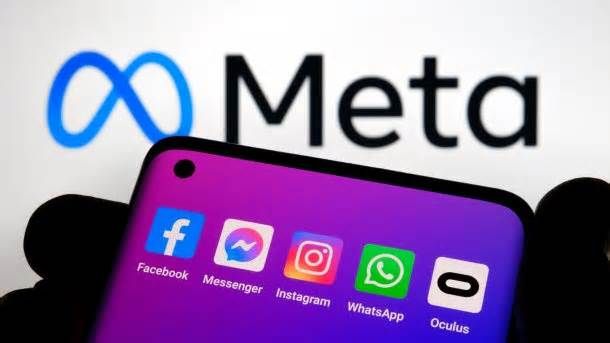
It owns popular platforms such as Facebook, Instagram, WhatsApp, and Messenger. Millions of people use these platforms every day.
Connecting People Worldwide
Meta platforms help people communicate, share content, and stay connected with friends, family, and communities around the world.
Role in Digital Marketing
It plays an important role in social media marketing. Businesses use these platforms to promote products, reach customers, and grow their brands.
Advertising Tools
It provides tools like Meta Ads Manager, which helps businesses create and manage online advertising campaigns.
Business Growth
Through its platforms and marketing tools, Meta helps businesses increase brand awareness, attract customers, and improve sales.
Meta Platforms: Facebook, Instagram, and WhatsApp
It owns several popular digital platforms that connect people and help businesses grow online. The three main platforms are Facebook, Instagram, and WhatsApp. Each platform has different features and is widely used for communication, content sharing, and marketing.
Facebook
Facebook is one of the largest social networking platforms in the world. It allows users to share posts, photos, videos, and updates with friends and communities. Businesses use Facebook to create business pages, promote their products, and run advertisements to reach a large audience.
Instagram
Instagram is a visual-based social media platform mainly used for sharing photos, videos, stories, and reels. It is very popular among younger audiences and is widely used by brands for marketing. Businesses use Instagram to showcase products, build brand identity, and engage with customers through visual content.
WhatsApp
WhatsApp is a messaging application used for sending text messages, voice messages, images, videos, and making voice or video calls. It is widely used for personal communication and also for business purposes. Many companies use WhatsApp Business to communicate with customers, provide support, and send updates.
Importance of Meta
Large Global Audience
Platforms such as Facebook, Instagram, and WhatsApp are used by billions of people worldwide. This allows businesses to reach a very large audience.
Powerful Marketing Platform
It provides advanced tools that help businesses promote their products and services through social media marketing.
Targeted Advertising
Businesses can show ads to specific audiences based on age, location, interests, and online behavior.
Improves Brand Awareness
Companies can use Meta platforms to increase brand visibility by sharing posts, photos, videos, and advertisements.
Better Customer Engagement
It helps businesses communicate directly with customers through comments, messages, and live interactions.
Supports Business Growth
By using Meta marketing tools, businesses can attract more customers, increase website traffic, and boost sales.
Meta Ads vs Google Ads
| Feature | Meta Ads | Google Ads |
|---|---|---|
| Platform | Runs on Facebook, Instagram, and other Meta platforms | Runs on Google Search, YouTube, and Google Display Network |
| How Ads Appear | Ads appear while users scroll social media | Ads appear when users search for keywords |
| Audience Intent | Users may discover new products while browsing | Users are actively searching for products or services |
| Targeting | Targeting based on interests, behavior, age, and location | Targeting based on keywords and search queries |
| Best For | Brand awareness, engagement, and visual promotion | Lead generation, website traffic, and sales |
| Cost | Usually lower cost per click (CPC) | Usually higher CPC due to keyword competition |
| Content Type | Best for images, videos, reels, and creative ads | Best for search ads, text ads, and display ads |
| Business Goal | Building brand visibility and engagement | Capturing high-intent customers |
| Examples | Facebook Ads, Instagram Ads | Google Search Ads, YouTube Ads |
META ADS
Running ads on Meta Platforms, Inc. (across Facebook and Instagram) is one of the most effective ways to reach targeted audiences online.
1. Set Up Your Ads Account
First, you need access to Ads Manager:
- Go to Meta Ads Manager
- Log in with your Facebook account
- Create an ad account (if you don’t have one)
- Add:
- Payment method
- Business details
(Optional but recommended): Set up Business Manager for better control.
r2. Choose You Campaign Objective
When you create a campaign, you must pick a goal. This tells the algorithm what results you want.
Common objectives:
- Awareness – reach more people
- Traffic – send users to your website
- Engagement – likes, comments, shares
- Leads – collect customer info
- Sales/Conversions – drive purchases
Example: If you run an online store → choose Sales
3. Define Your Target Audience
This is where Meta ads are powerful.
You can target based on:
- Location (country, city, or radius)
- Age & gender
- Interests (fitness, tech, fashion, etc.)
- Behaviors (online shoppers, travelers)
Advanced options:
- Custom audiences (website visitors, past customers)
- Lookalike audiences (people similar to your customers)
4. Set Budget & Schedule
You control how much you spend.
- Daily budget (e.g., ₹500/day)
- Lifetime budget (fixed total)
Bidding options:
- Lowest cost (automatic)
- Cost cap (advanced users)
Start small → test → scale later.
5. Design Your Ad Creative
This is the most important part.
Types of ads:
- Image ads
- Video ads
- Carousel (multiple images)
- Reels ads
What works best:
- Clear headline
- Eye-catching visuals
- Short, strong message
- Call-to-action (CTA)
Examples of CTA:
- Shop Now
- Learn More
- Sign Up
6. Choose Placement
You can run ads across:
- Facebook Feed
- Instagram Feed
- Stories & Reels
- Messenger
Beginners should use Automatic Placements.
7. Launch the Ad
Once everything is set:
- Review your campaign
- Click Publish
- Wait for approval (usually within hours)
8. Track Performance
Use Ads Manager to monitor:
Key metrics:
- CTR (Click-through rate)
- CPC (Cost per click)
- CPM (Cost per 1000 impressions)
- Conversions
If performance is poor:
- Change creatives
- Adjust audience
- Test different headlines
9. Optimize & Scale
This is where real success happens.
Tips:
- Run A/B tests (different ads)
- Kill low-performing ads quickly
- Increase budget on winners
- Retarget people who didn’t convert
10. Pro Tips (Important
)
- Use video content (performs better)
- Keep text minimal on images
- Install Meta Pixel on your website for tracking
- Focus on mobile-friendly ads
- Test multiple creatives at once